
The online office built for the Uzbek language
Write documents and build spreadsheets right in your browser, convert between Latin and Cyrillic with one click and check Uzbek spelling as you type. Prefer Microsoft Office? The same tools are available as add-ins for Word, Excel and PowerPoint.
What’s inside UzOffice
Six tools that share one account and one Uzbek language engine — use them in the browser, or inside Word, Excel and PowerPoint.
Text Editor
In the browserCreate and format documents online with autosave, open DOCX, RTF, TXT and HTML files, download them back or as PDF, and convert the whole document between scripts.
Learn moreSpreadsheet Editor
In the browserSpreadsheets in XLSX with formulas, charts, sorting, filters and tables — in the browser, no Excel installation needed.
Learn moreLatin–Cyrillic converter
Free, no sign-upFree online converter: Latin ↔ Cyrillic and to the new 2026 Latin alphabet. The script is detected automatically; up to 10,000 characters, no sign-up.
Learn moreDocument templates
In the browserReady-made templates for everyday paperwork: see the sample, download DOCX or fill it in online.
Learn moreUzbek spell check
Browser and OfficeUzbek dictionaries for both Latin and Cyrillic: mistakes are underlined as you type, with suggestions and a personal dictionary.
Learn moreOffice add-ins
Windows · Word, Excel, PowerPointAdd-ins for Word, Excel and PowerPoint on Windows: Uzbek spelling and context checks, apostrophe fixing, Latin↔Cyrillic and 2026 alphabet conversion — on the Office ribbon. One installer, one licence.
Learn moreCyrillic↔Latin and Uzbek spelling — in one editor
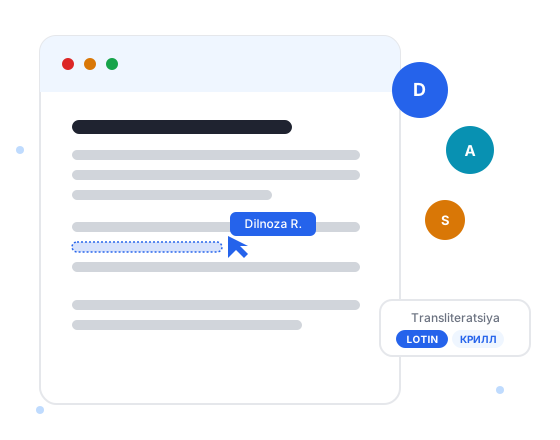
A capability other office suites don’t offer: convert text from one script to the other with one click and instantly find spelling errors based on Uzbek language rules.
- Latin → Cyrillic and Cyrillic → Latin with one click
- “o‘”, “g‘” apostrophes are corrected automatically
- Finds misspelled words using the Uzbek spelling dictionary
- For the whole document or just the selected text
O‘zbekiston Respublikasi poytaxti — Toshkent shaxri shahri.
Ўзбекистон Республикаси пойтахти — Тошкент шаҳри.
Ўзбекистон Республикаси пойтахти — Тошкент шаҳри.
O‘zbekiston Respublikasi poytaxti — Toshkent shahri.


Work without leaving Word, Excel or PowerPoint
Do you live in Microsoft Office? The add-ins put Uzbek editing tools right on the Word, Excel and PowerPoint ribbon.
- Uzbek spelling and context check
- Apostrophe clean-up
- Latin ↔ Cyrillic conversion
- New Latin alphabet (Ö, Ğ, Ş, Ç)
- One key — active in all three apps
Made for everyday work
Familiar formats, sharing with colleagues and a safety net for deleted files.
Familiar file formats
Documents are stored as DOCX and spreadsheets as XLSX — open them later in Word or Excel. Documents also open from and save to RTF, TXT and HTML, and both editors export PDF.
Trash and restore
Deleted documents go to the trash first — restore them in one click or delete them permanently.
Sharing & Permissions
Share a document with a colleague by e-mail or phone number, choose view or edit access and change or revoke it at any time.

Your documents on any computer
Files are kept in your UzOffice account, so you can open them from any computer with a modern browser. The interface is available in Uzbek (Latin and Cyrillic), Russian and English. Sign in with e-mail, Google or Telegram.
Choose the plan that fits you
- Every plan includes:
- Latin ↔ Cyrillic ↔ 2026 alphabet conversion
- Uzbek spell check
- Autosave
Free
7-day trial
- 100 MB of storage
- Up to 5 documents
- Up to 5 spreadsheets
- Word, Excel & PowerPoint add-ins: 1 key(s), 1 device(s) each
Standard
- 500 MB of storage
- Up to 100 documents
- Up to 100 spreadsheets
- Word, Excel & PowerPoint add-ins: 1 key(s), 1 device(s) each
- PDF export
- Open DOCX, RTF, TXT, HTML files
Premium
- 1 GB of storage
- Up to 1000 documents
- Up to 1000 spreadsheets
- Word, Excel & PowerPoint add-ins: 1 key(s), 3 device(s) each
- PDF export
- Open DOCX, RTF, TXT, HTML files
- Sharing with up to 3 people
- Priority support
Enterprise
- 48.9 GB of storage
- Up to 10000 documents
- Up to 10000 spreadsheets
- Word, Excel & PowerPoint add-ins: 1 key(s), 10 device(s) each
- PDF export
- Open DOCX, RTF, TXT, HTML files
- Sharing with up to 10 people
- Priority support
About UzOffice in brief
What is UzOffice?
UzOffice is an online office platform for the Uzbek language. It includes a text editor and a spreadsheet editor that work in the browser, a Latin↔Cyrillic converter (including the new 2026 Latin alphabet), Uzbek spell checking for both scripts, document sharing, and add-ins for Microsoft Word, Excel and PowerPoint.
Is UzOffice just an Office add-in?
No. The core of UzOffice is the web platform: you create documents and spreadsheets directly on uzoffice.uz without installing anything. The Word, Excel and PowerPoint add-ins are an optional extra for people who prefer to work in Microsoft Office on Windows; they use the same account and the same Uzbek language engine.
How do I convert Uzbek text from Cyrillic to Latin?
Paste the text into the free converter at uzoffice.uz/solutions/transliteration — the script is detected automatically and the result appears as you type (up to 10,000 characters, no sign-up, the text is not stored). To convert a whole document, spreadsheet or presentation with its formatting, use the Latin/Cyrillic buttons in the UzOffice text editor or in the Word, Excel and PowerPoint add-ins.
Does UzOffice support the new 2026 Uzbek Latin alphabet?
Yes. Text can be converted to the new Latin alphabet with the letters Ö, Ğ, Ş and Ç — in the free online converter, in the text editor and in the Word, Excel and PowerPoint add-ins. Spell checking can use the current Latin alphabet, the new one, or both.
Which file formats does UzOffice work with?
The text editor opens DOCX, RTF, TXT and HTML files and downloads documents in the same formats or as PDF; documents are stored as DOCX. The spreadsheet editor works with XLSX and can also export PDF. Both editors save automatically and can print. PDF export and autosave depend on your plan.
Is UzOffice free?
The online Latin↔Cyrillic converter is completely free. After registering you get a 7-day free trial of the platform, including the Office add-ins; no bank card is required. After that you can choose a paid plan in UZS and pay with Payme or Click.
Who develops UzOffice?
UzOffice is a project of the UzOffice team. The platform is developed and maintained by MIMAX SOFTWARE GROUP, a software company in Uzbekistan (mimaxgroup.com). The online text and spreadsheet editors, the Latin↔Cyrillic converter, the Uzbek spell checker and the add-ins for Word, Excel and PowerPoint are all made by this team. Contact: info@uzoffice.uz.