

The UzOffice text editor works like Word, but needs nothing installed — it's all in the browser. You create a document, format it, add tables and images, then download it as a PDF or a Word file. Here's a tour of the main features.
Create a document
In the Documents section, click New document or start from a ready-made template. The document opens in the editor straight away. To rename it, click the title at the top and type a new name.
The editor interface
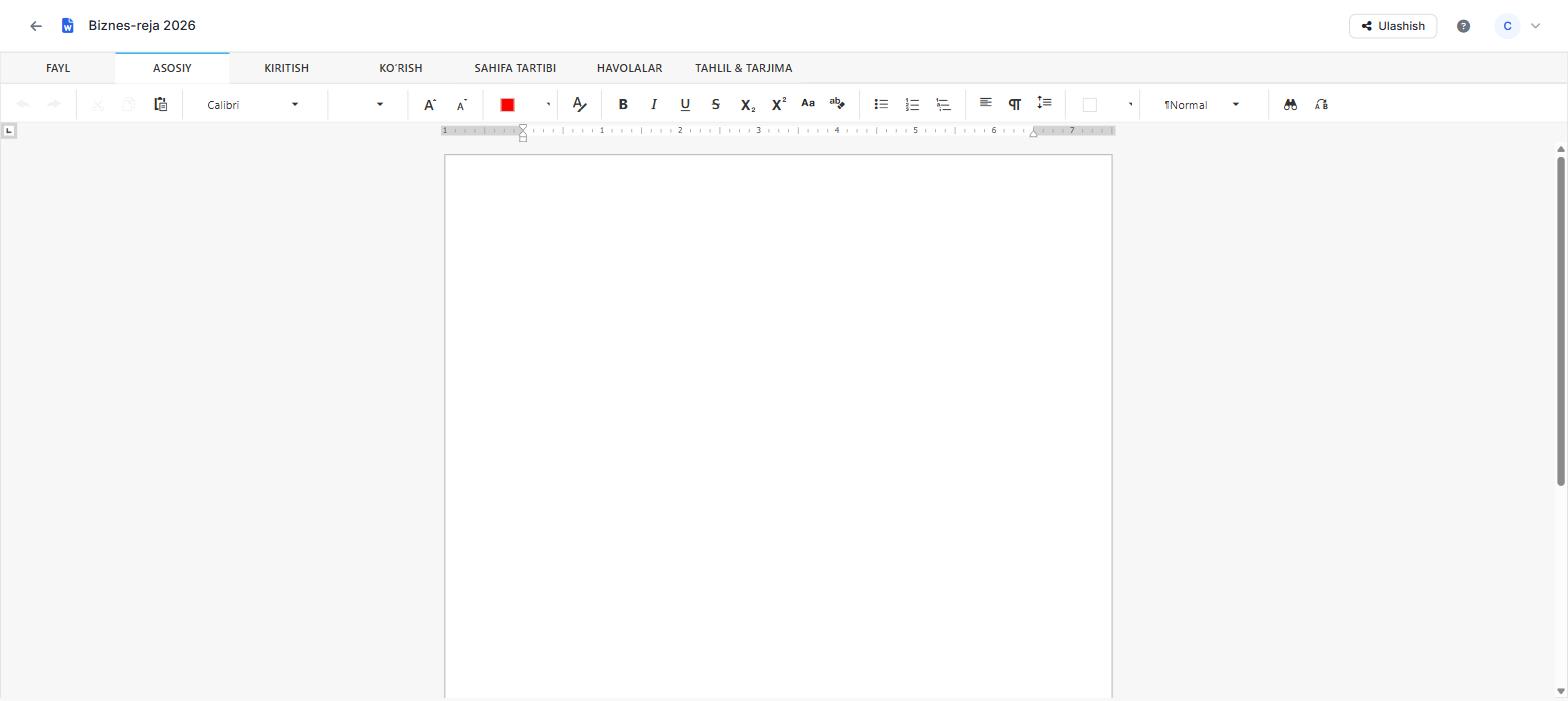
The ribbons sit along the top: Home, Insert, View, Page layout, References and Analyze & translate. Each ribbon holds its own tools — from formatting text to inserting tables and converting Latin to Cyrillic.
Formatting text
The Home ribbon has buttons to change the font and size, make text bold (B), italic (I) or underlined (U), colour it and align it. Lists, heading styles and line spacing are all set from here too.
Tables, images and links
Use the Insert ribbon to add tables, images, links and special characters. Click a table cell to type; select an image to resize and position it. A link makes it easy to jump to another page or document.
Latin–Cyrillic conversion
A UzOffice strength is converting text from one alphabet to the other in a single click. The buttons on the Analyze & translate ribbon turn the whole document, or a selected part, from Latin to Cyrillic and back. Details: Latin–Cyrillic conversion.
Download and export
Download the finished document from the File menu. UzOffice lets you save it as Word (.docx) or as a print-ready PDF — the layout and formatting stay intact.
Every change is saved automatically. There's no Save button to hunt for — your document is always at its latest state.
Frequently asked questions
Can I upload my Word document?
Yes, UzOffice works with .docx documents, so you can open your existing files and carry on editing.
Can I edit a document on my phone?
Yes. Because UzOffice runs in the browser, it opens the same way on a computer, tablet or phone.
Could my changes be lost?
No. Each change is saved to the server immediately, so nothing is lost.